
Every month, your phone screenshots another 300 things. QR codes, memes, receipts, a conversation you saved “just in case.” And every month, your screenshots folder becomes a slightly taller mountain of things you will never look at again. This is not a filing problem. It is a ritual problem.
So here it is: the monthly screenshot purge. Fifteen minutes, four piles, and a destruction ceremony your screenshots have honestly earned. Do it on the first Sunday of every month. Or right now. The screenshots cannot tell the difference, but your storage bar can.
Step 1: gather the month
Open your screenshots album and look at the count. That number is not a number. It is a to-do list that wrote itself. Do not judge it. We are past judgment. We are at ceremony.
Step 2: sort into four piles
Every screenshot belongs in exactly one of these:
- The Keepers. Boarding passes you still need, the recipe you will actually cook this week, the parking spot number. Real utility. These survive.
- The Meme Bank. Screenshots you genuinely reopen to laugh at or share. The bank has a capacity: fifty. Your group chat does not need three hundred reactions from 2024.
- The Maybes. The “might need this” crowd. They get one month of probation. Mark them, or move them to a Maybe album. If you never open them, next month they are ash.
- The Definitely Nots. QR codes for events that already happened. Screenshots of things you bought, installed, or finished. The “just in case” chat log from 2022. These have already died. You are just doing the paperwork.
Step 3: the ceremony
This is the part the other guides skip, and it is the whole point. You do not manage screenshots. You send them off:
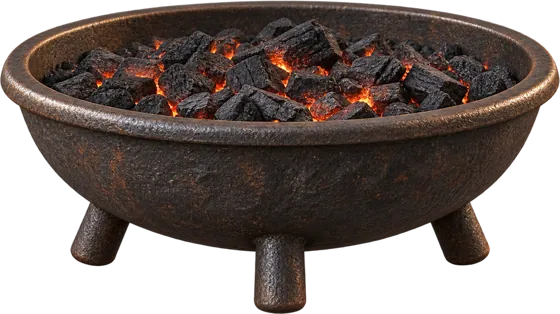
- The Definitely Nots go into the Fire Pit. A whole month of dead QR codes, burning to ash from the bottom up. It is the most satisfying loading bar you will ever watch.
- The Maybes from last month, the ones that failed probation, get Crumpled into the wastebasket one by one. Each crumple is a small “I told you so.”
- Any screenshot that survives the first two somehow: drag the Lighter across it. Burn wherever you like. Personal. Final.
You can select up to 20 photos at once and send the whole stack to any of these. Ceremonies scale.
Step 4: the 10-second finale
End every ritual with the 10-second shred challenge on the RipRoll homepage: one photo at a time, flick down to destroy, flick up to spare. Ten seconds of pure instinct. If you spare a screenshot of a QR code from 2023, your ritual is void and you start over.
The five ritual rules
- No screenshotting the ritual. That would be recursive and extremely funny, but it defeats the purpose.
- The six-month rule. If you have not opened a screenshot in six months, you will never open it. This is not pessimism. It is data.
- Meme bank cap: fifty. A bank with no vault limit is just a landfill with good intentions.
- Batch the boring ones. Twenty at a time into the Shredder, the Fire Pit, or the Acid Bath. Speed is part of the ceremony.
- Nothing is gone until you say so. Destroyed photos wait in a review queue first. Undo any of them, or confirm the batch, and your iPhone asks one final time.
Frequently asked questions
Does the ceremony actually delete my photos?
Not immediately. The destruction is the fun part; the deletion is careful. Everything destroyed waits in a review queue where you can undo it, and confirming goes through your iPhone's own delete confirmation. The ritual has drama. The consequences are boring, on purpose.
How often should I do this?
Monthly. Screenshots arrive at roughly one disaster per day, so a month is when the mountain gets tall enough to be satisfying and short enough to not be scary. Our seven photos that deserve a funeral also make a good warm-up playlist.
Is RipRoll free?
Yes. The Shredder, Lighter, and Fire Pit are free forever. RipRoll Pro is a one-time purchase of US$4.99 (launch price US$2.99) that unlocks the Acid Bath, Tear, Crumple, and Smash tools, plus every future tool, forever. You get 20 free tries of the Pro tools first.
The ritual is over. Fifteen minutes, one fire pit, zero guilt. Get RipRoll, the fun photo cleaner, and give your screenshots the goodbye they never knew they deserved.