
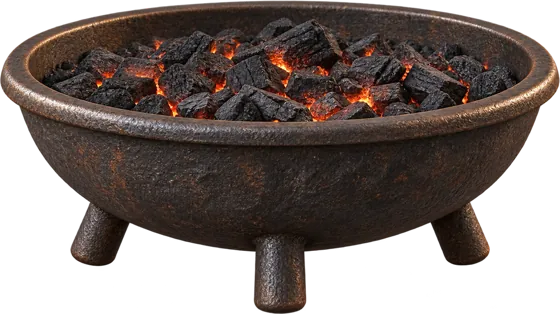
The 10-second shred challenge was the sprint: ten seconds of pure triage joy. This is the bonfire: sixty seconds, one Fire Pit, and every screenshot you have been hoarding since 2022. No sorting, no second-guessing, just feed the flames and count what burns.
The rules fit in one breath, which is the point. If you have not met the sprint yet, start with the 10-second shred challenge. If your screenshots need a gentler introduction first, our monthly screenshot ritual will sort the keepers from the kindling.
The rules (all five of them)
1. Pick your fuel. Open your Screenshots album. That is your woodpile. Boarding passes from cancelled trips, memes you already sent, seventeen photos of the same QR code: all fuel.
2. Start a 60-second timer. Any timer. The drama of a ticking clock is half the game.
3. Feed the Fire Pit. Drag screenshots into the flames as fast as you can. Speed beats precision here. The maybes can wait for another day.
4. Count your burns. Every screenshot that hits the flames is one point. No partial credit for dramatic throws.
5. Review before you commit. Burned photos wait in a review queue. Undo anything, then confirm the batch. Your iPhone asks one final time, and deleted photos stay recoverable for about 30 days. Sixty seconds of arson, zero seconds of regret.
The ranks: from Ember to Inferno
Burned fewer than 15? You are an Ember: warm, cautious, probably still reading the memes before you burn them. That is allowed exactly once.
15 to 29 makes you a Campfire: steady, respectable, the kind of burn that keeps the evening comfortable.
30 to 49 earns Blaze: the flames are taller than your excuses now. Your screenshots folder just lost a year of baggage.
50 or more? Inferno. Take a screenshot of your score (oh, the irony) and tell everyone. Screenshots sit near the top of our destruction satisfaction ranking for a reason, and you just proved it.
Three tricks from the fast burners
Pre-stack the woodpile. Open the Screenshots album before you start the timer. Scrolling through your whole library mid-burn is how Embers are made.
Two thumbs, no thinking. Feed with both thumbs and decide in a quarter of a second. If a screenshot needs more than a glance, it is not fuel, it is a keeper. Skip it.
Burn the duplicates first. Everyone has the same meme saved four times and the same boarding pass in three albums. Duplicates burn fastest because there is nothing to decide.
Why screenshots make the perfect fuel
Screenshots are the lowest-stakes photos you own. Nobody frames a screenshot. Nobody mourns a QR code. They pile up by the hundred because saving one costs nothing and deleting one feels like a chore. The bonfire turns the chore into a game, and sixty seconds later the pile is smaller and your thumb is tired in the good way.
Frequently asked questions
Is the Fire Pit free?
Yes. The Fire Pit is free forever, along with the Shredder and the Lighter. RipRoll Pro is a one-time purchase of US$4.99 (launch price US$2.99) that unlocks the Acid Bath, Tear, Crumple, and Smash tools, plus every future tool, forever. You get 20 free tries of the Pro tools first.
What if I burn the wrong screenshot?
You undo it. Burned photos wait in a review queue until you confirm the batch, and confirming still passes through your iPhone's system confirm sheet. Deleted photos stay recoverable for about 30 days. The bonfire is dramatic. The safety net is not.
How do I challenge a friend?
Text them the rules and your score. Highest burn count buys the coffee, and the loser does the dishes. Want the official sprint rematch first? The 10-second challenge has shareable challenge links right on the site.
Sixty seconds. One fire pit. Zero surviving screenshots that deserved to die. It is free to start, the Fire Pit never costs a cent, and your camera roll will feel lighter before your coffee cools. Get RipRoll, the fun photo cleaner, light the bonfire, and find out whether you are an Ember or an Inferno. The screenshots are not going to burn themselves. Although, honestly, at this point they have earned it.