
Every camera roll has twins. The same sunset, five takes. The same birthday cake, three angles. The same meme, saved twice, once from the group chat and once from your own camera roll. Twins are not a disaster. They are just the same photo wearing a slightly different hat, and most of them do not need to live here.
One honest note before the test starts. RipRoll has no duplicate finder. It never scans your library and it never picks a keeper for you. Your iPhone already has that part covered: open Photos, go to Albums, then Utilities, then Duplicates, and iOS 16 or later will show you the exact and near-exact copies it found. Tap Merge and it keeps the best version and folds the metadata together. What the Duplicates album misses is everything that is almost the same but not quite: the burst of 23 frames, the two sunsets a second apart. Those are the twins this article is about, and RipRoll is where the losers go to die in a satisfying way.
Where twins come from
Twins are born in five places. Burst mode fires 23 frames while you hold the shutter for one second. A meme gets saved twice, once when a friend sends it and once when you save it yourself. Chat apps save their own copy of every photo you receive. Live Photos carry a three-second video inside every still, so two taps a second apart look identical in the grid and different when you press and hold. And screenshots of the same thing pile up: one for the group chat, one for yourself, one because you forgot the first one existed.
The twin test in four steps
Step 1: Crown the keeper first. Before you delete anything, pick the one twin that stays and favorite it in Photos. The keeper gets a crown before the trial starts, so a tired thumb can never vote it out by accident. If you cannot choose between two, keep both for now. The test can wait. A keeper you are unsure about is still a keeper.
Step 2: The zoom test. Pinch each twin to full size and look at the eyes, the text, the horizon line. Sharp wins. The twin with the clean edge and the readable sign is the keeper. The twin that turns to mush at full size is a loser wearing a good thumbnail. Thumbnails lie. Full size tells the truth.
Step 3: Check the edges. A thumb in the corner, a closed eye, a cropped head, a tilted horizon. The middle of a photo can look perfect while the edges give the game away. The twin with clean edges wins. The twin with a stranger's elbow in the frame loses, and the elbow is not even yours.
Step 4: Destroy the losers, one tool at a time. Now that the keeper wears its crown, the rest are fair game. Match each loser to its tool below, send it to the review queue, check the queue once, and confirm. Your iPhone asks one final time before anything is really gone.
Four kinds of twins, and the tool that fits
1. The exact twin (Shredder)
Byte for byte the same photo, twice. Your iPhone probably already found this one in the Duplicates album, and Merge will take care of it. Anything Merge missed, feed to the Shredder. It is free forever, and an exact copy deserves an exact ending: confetti.
2. The burst twin (Tear)
Twenty-three frames of the same sneeze, the same jump, the same dog mid-shake. Keep the sharpest frame, then Tear the rest, one slow rip at a time. Tear is a Pro tool, so you get 20 free tries before you pay anything, and the Shredder will happily take the whole burst for free if you would rather not tear anything.
3. The near-twin (Crumple)
The same sunset, a second apart. The same cake, a step to the left. These are the twins the Duplicates album cannot see, because they are not copies, they are cousins. Pick the keeper with the zoom test, then Crumple the cousins into a ball and toss them in the basket. Crumple is a Pro tool, so you get 20 free tries, and the Shredder takes near-twins for free too.
4. The Live Photo twin (Fire Pit)
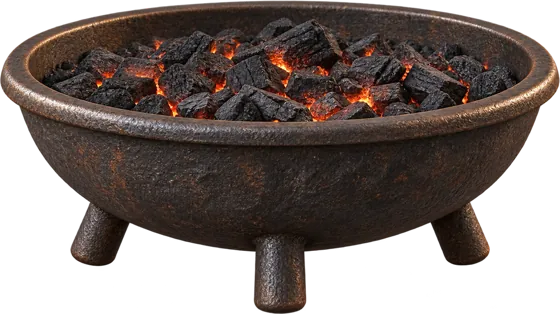
Two taps, a second apart, and both of them move. The keeper is the one with the best key frame, the moment the video freezes into the still you actually want. Burn the other one in the Fire Pit. It is free forever, and a three-second video of the wrong second burns just as well as a still.
Three mistakes that delete the wrong twin
Deleting before crowning the keeper. If no twin wears the crown, every twin looks deletable, including the good one. Favorite the keeper first. The crown is the whole system.
Tapping Merge All without looking. Merge is good at its job, and it keeps the best version, but best is Apple's call, not yours. Apple cannot tell which of two sunsets has your favorite cloud. Open the group, check the faces, then merge. Ten seconds of looking beats an hour of regretting.
Skipping the review queue. Destroyed photos wait in a review queue first. Undo anything that looks wrong, then confirm the batch, and your iPhone asks one final time. A twin test that ends with the keeper in the trash is not a test. It is a mix-up with a very small cast.
If the twin test leaves you with a whole roll to clean, How to Delete 1,000 Screenshots Without Crying turns the big job into a five-stage project. If your problem is screenshots rather than twins, take the test in Do You Have Screenshot Hoarding Disorder?. And if some of the losers deserve a proper goodbye instead of a quick shred, the seven funerals in 7 Photos That Deserve a Funeral are waiting.
Frequently asked questions
Do I need RipRoll Pro to delete duplicates?
No. The Shredder, Lighter, and Fire Pit are free forever, and they cover the exact twins and the Live Photo twins on their own. RipRoll Pro is a one-time purchase of US$4.99 (launch price US$2.99) that unlocks the Acid Bath, Tear, Crumple, and Smash tools, plus every future tool, forever. You get 20 free tries of the Pro tools first, and every Pro entry above has a free alternative: Tear becomes the Shredder, and Crumple becomes the Shredder.
What if my twins are not exact copies?
Then the Duplicates album will not find them, and that is normal. It only catches exact and near-exact copies. The twin test is for everything else: burst frames, near-twins a second apart, and the same photo saved by two different apps. Your eyes catch what the algorithm misses.
Can I undo it if I shred the keeper?
Yes, if you catch it before the final confirm. Destroyed photos wait in a review queue where you can undo any of them. When you confirm, everything goes through your iPhone's own delete confirmation. That is why the keeper gets crowned first: the crown, the queue, and the system confirm are three chances to save it.
Run the twin test tonight. Open the Duplicates album, merge the exact copies, then hunt the near-twins by eye, crown the keeper, and destroy the rest. Download RipRoll, the fun photo cleaner: the Shredder, Lighter, and Fire Pit are free forever, and RipRoll Pro unlocks the other four tools with one purchase.