
You have 1,000 screenshots. You know it. You have known for months, and you have not opened the Screenshots album once, because opening it would mean admitting something about yourself. Today is the day you deal with it. Not with folders. Not with "organization." With a purge.
Deleting one screenshot is easy. Deleting 1,000 in one sitting is an emotional event. Every screenshot was a tiny decision you deferred: a recipe you never cooked, a QR code that expired in 2019, a meme you saved for a comeback that never came. This guide treats the big purge like what it is: a five-stage journey. Walk it with RipRoll, the fun photo cleaner, and the perfect destruction tool for each stage.
Stage 1: Denial ("I might need these")
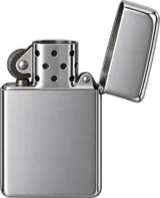
You will not need these. You have not needed them in two years. But cold logic does not work on Denial, so start small: pick up the Lighter, drag the flame across the screenshots one by one, and burn exactly where you want. The first ten burnings hurt a little. By number fifty you are arson with a philosophy.
Stage 2: Bargaining ("Maybe I will organize them instead")
This is the stage where you almost ruin everything by inventing a folder system. Do not. Folders are where screenshots go to die slower. Feed them to the Shredder instead: select up to 20 at once and watch a real cross-cut machine chew the stack into strips. Bargaining, converted into productivity.
Stage 3: Anger ("Why did I screenshot 400 memes?")
This stage usually arrives around screenshot 400, when the absurdity of the archive breaks you. Good. Anger is fuel. Toss whole batches into the Fire Pit and watch them burn from the bottom up. For maximum catharsis, keep score by the rules of the 60-second bonfire challenge and see how much ash you can make in a minute.
Stage 4: Grief ("The boarding pass from the trip of a lifetime")
Some screenshots are expired artifacts of a real memory: the boarding pass, the concert ticket, the hotel confirmation. They feel important. They are not, and you know it. Send them to the Acid Bath and watch them yellow, sink, and slowly dissolve. Grief deserves a slow tool.
Stage 5: Acceptance ("The last hundred")
Somewhere around screenshot 900 the fear is gone and all that is left is momentum. Put the stragglers in a frame and Smash it: tap the glass, or knock on the back of your phone, and feel the last of the hoarding instinct leave your body. Want to know why smashing feels so good? Our destruction satisfaction ranking has the answer. (It has no science. It just feels great.)
Three safety rails for the purge
The purge is dramatic on purpose; the safety net is boring on purpose:
- Nothing is gone until you say so. Destroyed photos wait in a review queue first. Undo any of them, or confirm the batch, and your iPhone asks one final time with its own delete confirmation.
- Start with the oldest. Sort the Screenshots album oldest first. The 2022 shots have zero emotional weight left, which makes them perfect warm-up. By the time you reach last month, you are a professional.
- When it is over, build the habit. One big purge is a rescue mission; staying clean is a routine. The monthly screenshot ritual keeps the next 1,000 from ever piling up.
Frequently asked questions
Can I really delete 1,000 screenshots in one sitting?
Yes. With batches of 20 in the Shredder and Fire Pit, 1,000 screenshots takes about twenty minutes. Most of the time goes to the "wait, what is this?" moment at number 600. Keep moving.
What if I delete a screenshot I actually need?
You will not need any of them, but the app does not take your word for it. Destroyed photos sit in a review queue where you can undo them before anything is confirmed, and after that they live in your iPhone's Recently Deleted album for 30 days.
Is RipRoll free for this?
Yes. The Lighter, Shredder, and Fire Pit are free forever. RipRoll Pro is a one-time purchase of US$4.99 (launch price US$2.99) that unlocks the Acid Bath, Tear, Crumple, and Smash tools, plus every future tool, forever. The Pro tools come with 20 free tries, so stages 4 and 5 are free to test.
One thousand screenshots, five emotional stages, about twenty minutes. Your storage bar gets its life back, the Screenshots album becomes a folder you are not afraid to open, and you never have to feel guilty about a 2019 QR code again. Start the purge with RipRoll, the fun photo cleaner: the Lighter is free, the first ten screenshots are the hardest, and somewhere around number 400 you will understand exactly why this app exists.